





Remove Backgrounds in Seconds: 3 Best AI Tools to Try Online


4 mins read
Got a photo with a cluttered background and need to remove it quickly, keeping only the important parts? In the past, manually cutting out backgrounds with software like Photoshop could take a lot of time and effort. Looking for a faster, easier solution? While the AI-powered version of Photoshop is fantastic, it comes with a hefty price tag. For everyday users, free AI-based tools to remove or change image backgrounds are the perfect alternative! In this guide, we’ll introduce you to a few AI tools that can remove photo backgrounds in seconds—effortlessly!
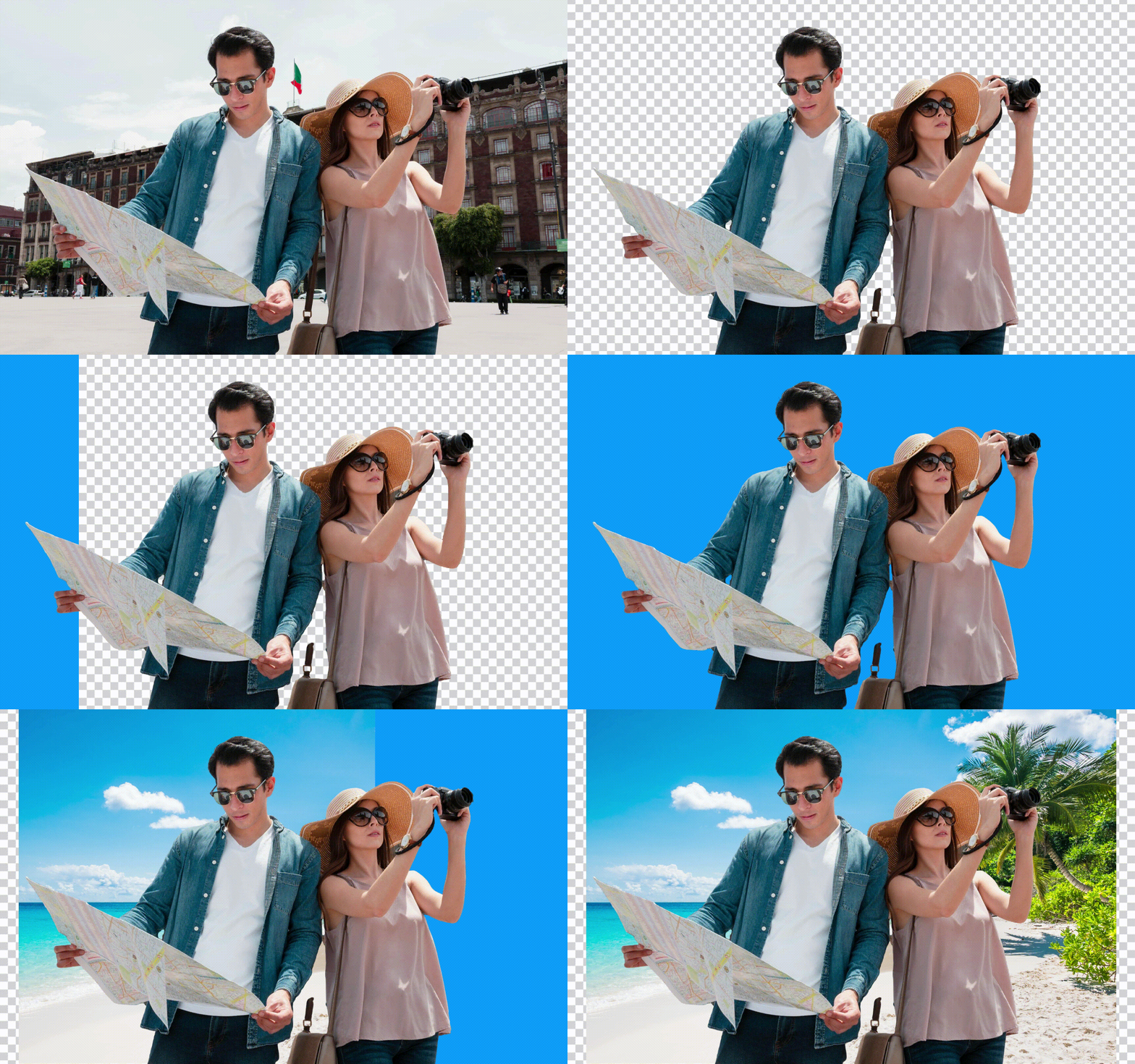
Table of Contents
Top 3 AI Online Background Remover
1 ChatArt
ChatArt helps you remove backgrounds from portraits, product photos, and pet pictures without manual tracing. Download a transparent PNG for presentations, collages, or promotional graphics, or add a solid color or your own background image in the result editor. You can try background removal with your available free trial Diamonds after signing in. Each image uses 2 Diamonds, and output dimensions may differ from the original upload.


- Automatic background removal: Isolate the main subject without manually tracing its outline.
- Transparent PNG downloads: Save your cutout for use in other designs without a separate export charge.
- Flexible background options: Add white, another solid color, or your own background photo without additional Diamonds for these basic edits.
- Supported uploads: Process JPG, PNG, WebP, and HEIC images up to 30 MB each.
- More AI image tools: Continue creating with Image to Image, AI Image Enhancer, or image generation models such as GPT Image 2.5, Nano Banana 2, and Seedream 5.0 Lite. These are separate tools with their own Diamond costs.
How to Quickly Remove Photo Backgrounds Using ChatArt
Open ChatArt's AI Background Remover and sign in. Upload a JPG, PNG, WebP, or HEIC image up to 30 MB.

Start background removal. Each image uses 2 Diamonds, which can be covered by your available trial balance.
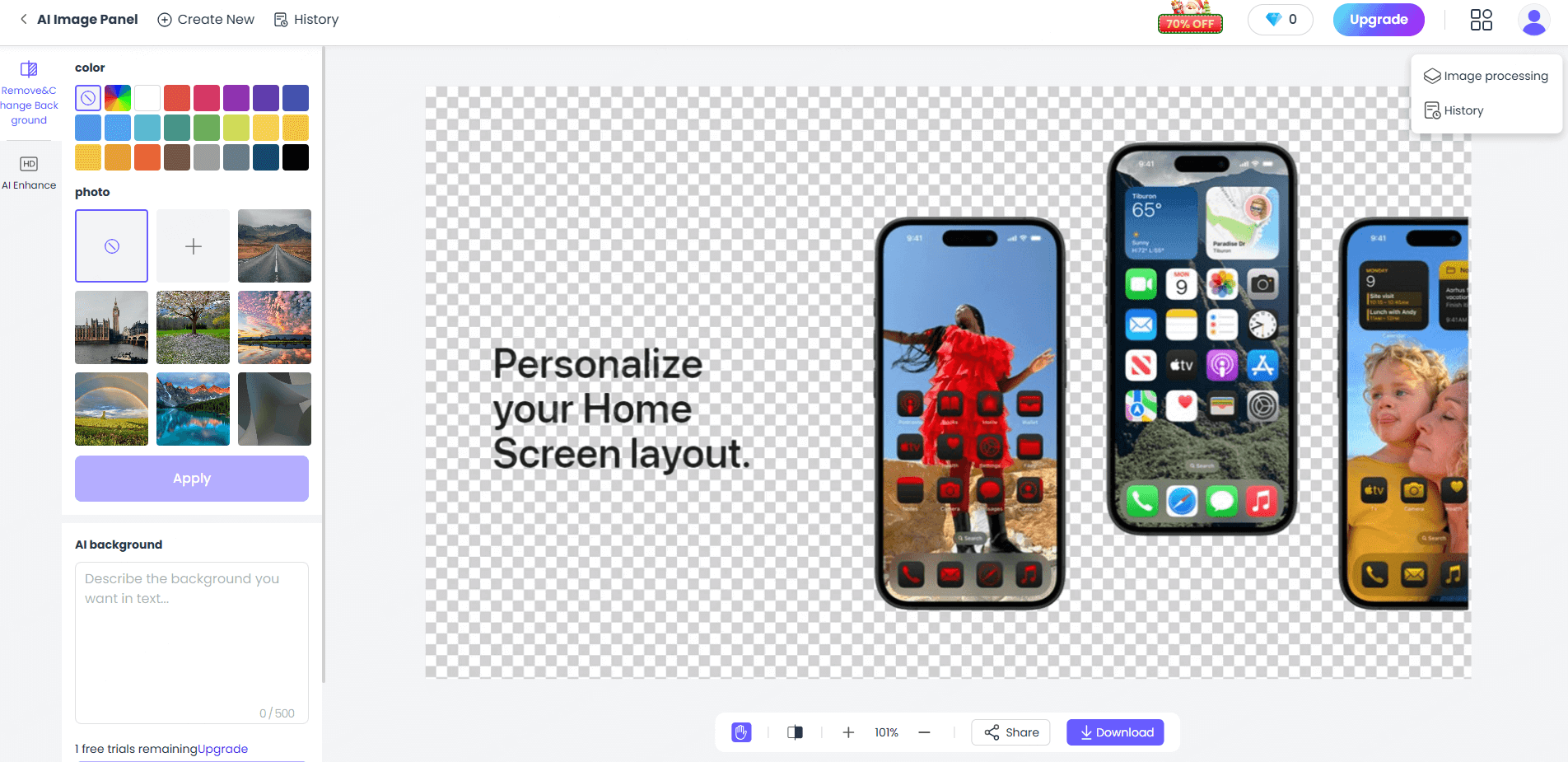
Download the transparent PNG, or choose a solid color or upload your own background image. Click Apply before downloading the edited result. These basic background edits and PNG downloads do not have a separate charge. Separate AI tools have their own Diamond costs.
Click now to try the AI background removal feature, clear the background of your photo, and replace it with a background you love!
2 Visme
Similarly, Visme is another website that offers online AI background removal services. After removing the background, users can do more, like erasing or replacing content and enhancing image quality. However, the site only offers 10 free background removal attempts. To access more uses and full features, you'll need to purchase an annual plan, which costs an average of $12.25 per month.

3 Picwish
Picwish is a versatile online background removal website. After uploading a photo, users can quickly get an automatically processed image with the background removed and download it for free. However, to download high-resolution images, you'll need to subscribe to a paid plan.

What AI Background Removal Tools Can Do
1 Make the image have a transparent background
Use the AI-powered online photo background removal service to eliminate unnecessary clutter from your photo, turning the subject into a PNG image with a transparent background. This makes it easy to use for image creation or collage making in the future.
2 Change the background color
Different situations may require specific background colors for ID photos. After using the AI-powered online photo background removal service, you can quickly add a new background color to your photo.
3 Merge the subject into a scene you like.
The powerful AI online image background removal service can remove unwanted backgrounds from your photos, keeping the person or main subject. You can then replace the background with a scene you like! It’s a great way to make your photos look their best!
Conclusion
AI background removal helps you reuse portraits, products, and pet photos in new designs. With ChatArt, you can download a transparent PNG or add a solid color or your own background image after removal. Try it with your available free trial Diamonds; each image uses 2 Diamonds. Review the cutout and downloaded image dimensions before using it in your project.

ChatArt
The best AI for chatting, writing, and marketing assistant.
20 Best AI Couple Photo Prompts for Romantic & Realistic Pictures
AI Image Generator No Restrictions? What to Know in 2026 | ChatArt

How to Make AI Product Videos from Photos: 5 Ideas and Prompts to Try