<%include ../../component/common/libcss%>

AI Image Models Available in ChatArt

Browse AI image models in one place, understand what each model is suited for, and open its model page or image generation workflow.

Browse Available AI Image Models

Art 5.0 AI image model available in ChatArt

Art 5.0

Handles detailed prompts and reference-based creation. Choose it when your concept depends on several visual instructions working together.

GPT Image 2 AI image model available in ChatArt

GPT Image 2

Handles complex prompts, in-image text, and iterative edits. Choose it for projects that combine new generation with follow-up changes.

GPT Image 2.5 Flare AI image model available in ChatArt

GPT Image 2.5 Flare

Offers the fastest turnaround in the GPT Image family. Choose it when you need more drafts, campaign variations, or rapid feedback cycles.

GPT Image 2.5 Sunburst AI image model available in ChatArt

GPT Image 2.5 Sunburst

Prioritizes finer detail and precise editing over maximum speed. Choose it for final assets that need extra polish or several careful revisions.

Nano Banana Pro AI image model available in ChatArt

Nano Banana Pro

Produces high-fidelity images with complex compositions and legible text. Choose it when accuracy and finish matter more than generation speed.

Nano Banana 2 AI image model available in ChatArt

Nano Banana 2

Pairs rapid generation with precise instruction following and strong world knowledge. Choose it for quick, controlled iteration on everyday creative work.

Z Image Turbo AI image model available in ChatArt

Z Image Turbo

Creates photorealistic images and renders English or Chinese text efficiently. Choose it for fast text-to-image drafts and bilingual visual concepts.

Seedream 5.0 Pro AI image model available in ChatArt

Seedream 5.0 Pro

Handles dense layouts, multilingual text, and precise regional edits. Choose it for infographics, structured graphics, and production-heavy briefs.

Seedream 5.0 Lite AI image model available in ChatArt

Seedream 5.0 Lite

Uses visual reasoning and world knowledge to understand context and editing intent. Choose it for complex requests that need logical, consistent results.

Seedream 4.5 AI image model available in ChatArt

Seedream 4.5

Preserves faces, lighting, color, and other reference details across edits. Choose it for product changes, restyling, and multi-image consistency.

Flux Kontext Max AI image model available in ChatArt

Flux Kontext Max

Preserves objects and characters through local, global, and multi-step edits. Choose it when an existing image must stay stable while specific details change.

Find a Model by Workflow, Not Just Image Style

The same model can handle many visual styles. Use these examples to decide whether speed, fidelity, complex instructions, or controlled editing matters most.

New Image or Edit

Choose Nano Banana Pro to create; Flux Kontext Max to edit

Start with Nano Banana Pro for a high-fidelity new image or complex composition. If you are changing an existing image and need objects or characters to stay consistent across edits, choose Flux Kontext Max.

Natural close-up portrait Creative professional working at a desk Full-body professional portrait

Compare AI Image Models by Creative Priority

Start with the outcome that matters most—speed, instruction following, text and layout, reference editing, or consistency. Current settings and diamond costs are shown in ChatArt before generation.

Creator PriorityStart WithAlso ConsiderWhy It Fits
Fast concept iterationGPT Image 2.5 FlareNano Banana 2 or Z Image TurboPrioritizes quick generation when you need more drafts, directions, or campaign variations.
Complex briefs and legible textNano Banana ProGPT Image 2 or Art 5.0Handles detailed instructions, complex compositions, and text inside the image.
Structured or multilingual visualsSeedream 5.0 ProZ Image Turbo or GPT Image 2Suited to dense layouts, multilingual text, and precise regional changes.
Reference-led editingFlux Kontext MaxSeedream 4.5Keeps objects and characters stable while you make local, global, or multi-step edits.
Faces, products, or recurring subjectsSeedream 4.5Flux Kontext MaxPreserves faces, lighting, color, and other reference details across edits.
Context-aware creative changesSeedream 5.0 LiteNano Banana 2 or Art 5.0Uses visual reasoning and world knowledge for requests that depend on context.
Final detail over maximum speedGPT Image 2.5 SunburstNano Banana ProPrioritizes finer detail and precise refinement when the final asset matters most.

Ideas, Prompts, and Image Workflows

Learn how to shape a prompt, edit an existing image, and choose a workflow for the result you want.

Made for the Way Creators Work

From quick concept exploration to precise visual edits, ChatArt brings leading image models into one streamlined creative workflow.

“GPT Image 2 changed how we localize campaigns. We generate ad creatives in Hindi, Japanese, and Korean with text that's actually correct.”

“Nano Banana Pro delivers detailed, natural visuals fast. It's ideal for concept art and lifestyle scenes, significantly improving my creative workflow.”

“This tool helps me draft environments and characters quickly. Nano Banana Pro maintains consistency and realism, saving hours in early development.”

AI Image Model FAQs

Clear answers about choosing and using AI image models in ChatArt.

Can I try AI image models in ChatArt for free?

Yes. Create a ChatArt account, then log in to claim the new-user diamond bonus. You can use the free diamonds to try image generation. The diamond cost depends on the model and settings you choose and is shown in ChatArt before generation.

Which AI image model should I choose?

Choose by workflow, not visual style alone. Use GPT Image 2.5 Flare or Nano Banana 2 for faster iteration; GPT Image 2.5 Sunburst or Nano Banana Pro when fidelity and complex instructions matter more; and Flux Kontext Max, Seedream 4.5, or Seedream 5.0 Pro for reference-led edits. Check the current settings and diamond cost in the ChatArt workspace before generating.

Can I use a reference image with every AI image model?

Reference-image support varies by model. After selecting a model in ChatArt, check the workspace to see whether reference images are supported and which options are available.

What is the difference between text-to-image and image-to-image?

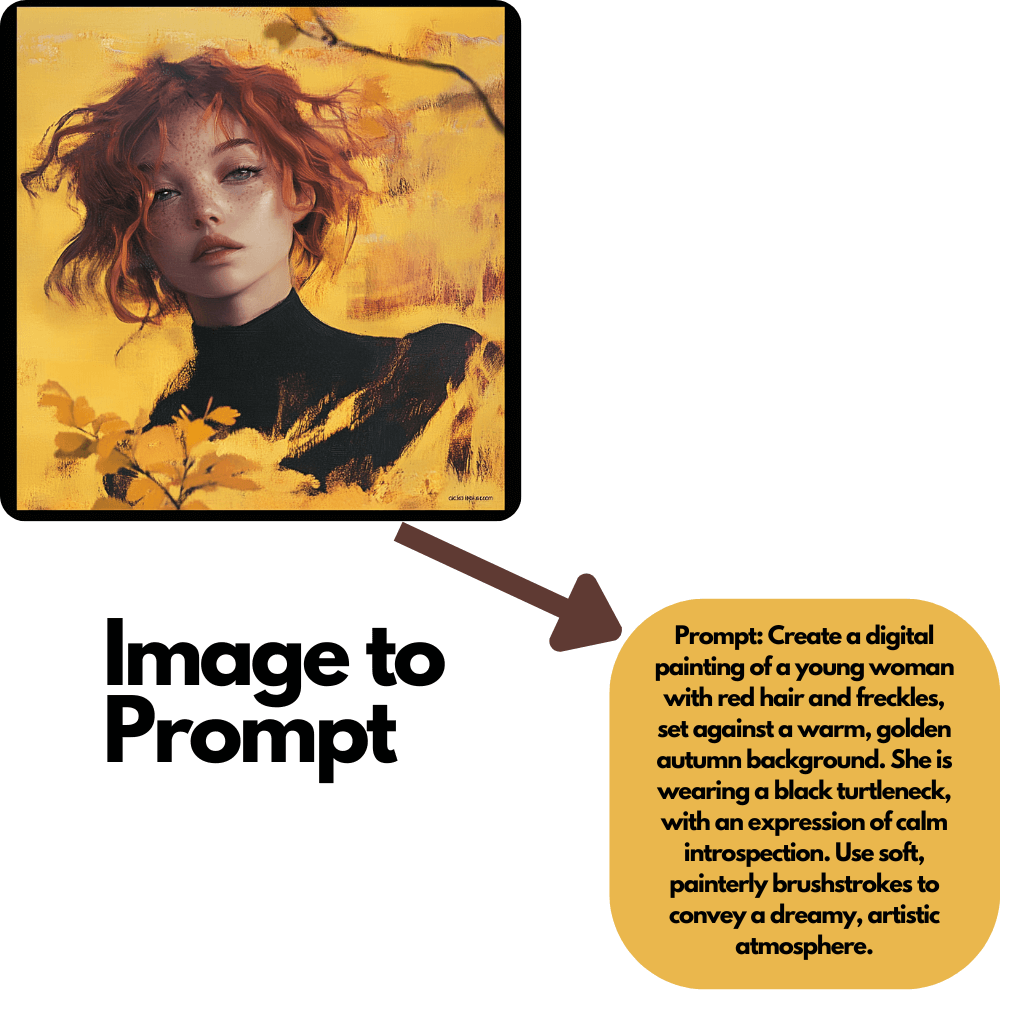
Text-to-image creates a new visual from a written prompt. Image-to-image starts with an existing image and uses your instructions to edit, restyle, or build on it.

Do all models use the same settings and number of diamonds?

No. Available resolutions, aspect ratios, reference options, and diamond costs can vary by model and selected settings. ChatArt shows the current options and required diamonds in the workspace before generation.

Can I try more than one model in ChatArt?

Yes. You can choose from the image models currently available in ChatArt and try another model when you want to compare results. Each generation may use diamonds, and the required amount is shown before you generate.

Find the Right Model for Your Next Image

Open ChatArt's image workspace, select an available model, and use the generation or editing options it supports.