





Mastering AI Prompts: Create Breathtaking Couple Kissing Images & Videos

10 mins read
If you want to turn a couple photo or two single portraits into a natural AI kissing video, the source images matter far more than any fancy prompt. Both faces need to be clear and shot at similar angles, and the frame should leave enough space for the two people to comfortably move closer. Once your photos are ready, add a short prompt that explains how they approach, where the kiss happens, and how the camera is framed — that almost always looks more natural than simply typing "a couple kissing."
If you're still comparing tools, take a look at the best AI kissing video tools we've reviewed. This guide skips the tool comparison and walks you through a complete video: pick the photos, write the prompt, and fix face distortion, motion glitches, or background flickering one issue at a time. We've also packed 30 ready-to-edit prompts into the article.
Article Contents:
- How to Create AI Kissing Videos from Two Photos
- How to Generate AI Kissing Photos and Videos with ChatArt
- 30 AI Kissing Video Prompt Examples
- Realistic & Cinematic Prompts
- Gentle Everyday & First-Kiss Prompts
- Weddings, Anniversaries & Holiday Prompts
- Travel & Atmospheric Prompts
- Anime, Illustration & Fantasy Prompts
- AI Prompts Generator: Sample Prompts for Different Styles
- How to Ask ChatGPT or Gemini to Rewrite Prompts
- Common FAQs
- Conclusion
How to Create AI Kissing Videos from Two Photos?
Pick your photos: Prefer front-facing or slightly side-angled shots with similar lighting and no hands or hair covering the face. If you're using two single portraits, keep the head sizes and eye levels as close as possible.
Decide the motion: For your first generation, stick to three simple moves — eye contact, lean in, gentle kiss. Don't ask for running, spinning, hugging, and a deep kiss all at once.
Upload and generate: Open the ChatArt AI Kissing Video Generator, upload your photos, pick an effect, and add one of the prompts below if needed.
Review and redo: Check the face, lips, hands, and background for stability. Don't rewrite the entire prompt — only adjust the one element that went wrong.
AI Kissing Video Prompt Formula
[The two people in the frame and their relationship] + [How they approach and the kiss style] + [Expressions and posture] + [Setting] + [Camera and lighting] + [Style] + [Things to avoid]
Universal example: A couple on a beach at sunset first exchanges eye contact, then slowly leans in for a gentle kiss; keep their original facial features, hairstyles, and outfits intact, with natural expressions, golden backlight, a cinematic mid-shot, stable camera, and avoid face distortion, altered appearance, unnaturally stuck lips, sudden motion, or flickering backgrounds.
How to Generate AI Kissing Photos and Videos with ChatArt
ChatArt is a powerful AI creation platform that brings together leading video and image models — including Seedance, MiniMax, HappyHorse, Kling, Wan, and Vidu on the video side, plus GPT Image, Nano Banana, and Seedream for images. You can browse all of them in the AI Video Generator. Start by letting the AI polish your prompt or generate a still kissing photo, then choose text-to-video, image-to-video, or video effects based on your source assets.
When it comes to creating romantic visuals, ChatArt offers three innovative ways to generate AI kissing videos:

(1) Text-to-Video:
If you don't have photos yet, describe the characters, the approach motion, the setting, and the visual style directly. Instead of just "a couple kissing," try "first they lock eyes, slowly lean closer, and share a gentle kiss at sunset" — it usually produces far more coherent footage.

(2) Image-to-Video:
If you already have a couple photo or two single portraits, upload them and add a short prompt to choreograph the motion. This is the best option when you want to preserve the original facial features, hairstyles, and outfits — and it's the main workflow the 30 prompts below are designed for.

(3) Video Effects:
If you already have a clip of two people, pick a kissing effect and upload the video so ChatArt can apply the motion. Make sure the faces in the source clip stay clearly visible and that the characters don't spin quickly or get covered by hands.

The difference between these three paths is the starting asset. If you only have an idea, go with Text-to-Video; if you already have a couple photo, pick Image-to-Video; if you have a short clip, try Video Effects. Picking the right entry point first usually saves much more time than endlessly re-running generation.
30 AI Kissing Video Prompt Examples
Realistic & Cinematic Prompts
1. Close-Up Under a Starry Sky

2. Rainy Neon Street
3. Classic Black-and-White Cinema
4. City Rooftop at Night
5. Window Seat in a Quiet Cafe
6. Slow-Motion Romantic Drama
Gentle Everyday & First-Kiss Prompts
7. Ultra-Wide Selfie Kiss in Front of a Mural Wall

8. Forehead Kiss
9. Cheek Kiss
10. Goodnight Kiss on the Sofa
11. Winter Nose Kiss
12. Morning Kitchen
Weddings, Anniversaries & Holiday Prompts
13. Wedding Kiss Under a Floral Arch

14. Successful Proposal
15. Anniversary Dinner
16. Valentine's Day Surprise
17. New Year's Eve Countdown
18. Birthday Wish
Travel & Atmospheric Prompts
19. Beach Sunset
20. Paris Street Corner
21. Gondola in Venice
22. Mountain-Top Reunion
23. Under the Cherry Blossoms
24. Camping Under the Stars
Anime, Illustration & Fantasy Prompts
25. Anime Kiss by a Sakura Window

26. Watercolor Illustration
27. Enchanted Forest
28. Retro Comic
29. Cyberpunk Night City
30. Fairy-Tale Galaxy
AI Prompts Generator: Sample Prompts for Different Styles
When using an AI prompts generator to create couple kissing images or videos, the possibilities are endless. Let's explore a wider range of kiss types, occasions, and visual styles to help you craft the perfect AI prompts for your needs.
(1) Types of Kisses
- Intense French Kiss: A passionate, deep kiss often seen in dramatic or romantic scenes.
- Innocent Kiss: A gentle peck on the lips or cheek, expressing sweetness and affection.
- Forehead Kiss: A tender kiss on the forehead, symbolizing care and protection.
- Eskimo Kiss: Noses touching or rubbing, conveying playfulness and intimacy.
- Hand Kiss: A romantic gesture, often formal or chivalrous.
- Surprise Kiss: One partner unexpectedly kisses the other, capturing spontaneity.
- First Kiss: A shy, tentative kiss, often filled with anticipation and emotion.
(2) Occasions for Kissing
- Casual Everyday Moments: Spontaneous kisses at home, in the park, or during daily routines.
- Festivals and Holidays : New Year's Eve, Valentine's Day, Christmas, or local celebrations.
- Weddings and Engagements: The iconic “you may now kiss the bride” moment, or a proposal kiss.
- Reunions and Goodbyes: Emotional kisses at airports, train stations, or after long separations.
- Anniversaries and Birthdays: Celebratory kisses marking special milestones.
- Rainy Day Romance: Kissing under an umbrella or in the rain, inspired by movie scenes.
- Adventure and Travel: Kissing on top of a mountain, by the sea, or in a foreign city.
(3) Visual Style
- Realistic / Photorealistic: True-to-life, high-resolution images with natural lighting.
- Anime / Manga Style: Expressive, colorful, and stylized illustrations.
- Cartoon / Comic Style: Bold lines, exaggerated features, playful or humorous tone.
- Watercolor / Painterly: Soft, artistic brushstrokes, dreamy and romantic.
- Black and White / Noir: Classic, timeless, and dramatic with strong contrasts.
- Fantasy / Surreal: Magical elements, imaginative settings, ethereal lighting.
- Retro / Vintage: Inspired by old movies, polaroids, or classic romance novels.
- Minimalist: Simple, clean lines and limited color palettes, focusing on emotion.
- Cyberpunk / Futuristic: Neon lights, futuristic cityscapes, bold colors.
Sample Prompts for Visual Styles
A couple kissing in a retro 1950s diner, vintage colors, nostalgic mood, photorealistic style
Anime couple sharing a kiss in the rain, dramatic lighting, vibrant colors, emotional scene
A fantasy scene of two elves kissing in an enchanted forest, glowing lights, magical atmosphere
Minimalist illustration of a couple's silhouette kissing, soft pastel background, simple lines

How to Ask ChatGPT or Gemini to Rewrite Prompts
ChatGPT and Gemini are great for turning scattered ideas into a complete prompt — but no model can guarantee identical results across every video generation tool. Paste the template below into either assistant and fill in the bracketed details:
If the first result is off, don't rewrite everything at once. Lock the characters and setting, then change just one piece — for example, swap "passionate kiss" for "first eye contact, slowly lean closer, share a brief gentle kiss" — to track what actually fixes the issue.
How do you write a natural AI kissing video prompt?
Still images reward good composition, lighting, and art direction. Video also requires action order and camera direction. Sticking to a single primary motion at a time is almost always more stable than asking for hugging, spinning, running, and kissing all at once. When using real photos, add "preserve the original facial features, hairstyles, and outfits"; for smoother motion, write it as "first eye contact, slowly lean closer, pause briefly, share a gentle kiss."
Common FAQs
1 Which AI kissing prompt is easiest to succeed with?
Prompts with clearly visible subjects, a single primary motion, a stable camera, and an explicit "don't change the face" rule are usually the easiest to control. Start with a short gentle kiss, then layer in richer scenes and camera movement.
2 Can I paste these prompts directly into ChatGPT or Gemini?
Yes — feel free to ask them to rewrite, shorten, or restyle. Whether the underlying tool accepts text, photos, or video still depends on the generator you ultimately use.
3 What's the difference between prompts for one photo vs. two photos?
With a single couple photo, emphasize keeping the original relative positions of both people. With two separate portraits, add notes on height ratio, standing positions, eye-line direction, and consistent lighting.
4 How do I keep faces consistent across an AI kissing video?
Use clear source photos at similar angles, avoid large head turns, and tell the model to preserve the original facial features, hairstyles, and outfits.
5 Can I publicly share AI kissing photos or videos?
First confirm every real person involved has given consent, and follow both the generator platform's and the publishing platform's policies. Don't use minors, people who haven't agreed, or content that could cause impersonation or misinformation.
Conclusion
Making a good AI kissing video doesn't require piling on flowery adjectives. Pick the right source photos, then clearly write down the characters, motion order, mood, camera, and what to avoid. On your first try, swap only one or two variables at a time; when results come out wrong, fix faces, identity, hands, or camera issues one at a time.
30 Best AI Image Generator Prompts to Copy and Customize1
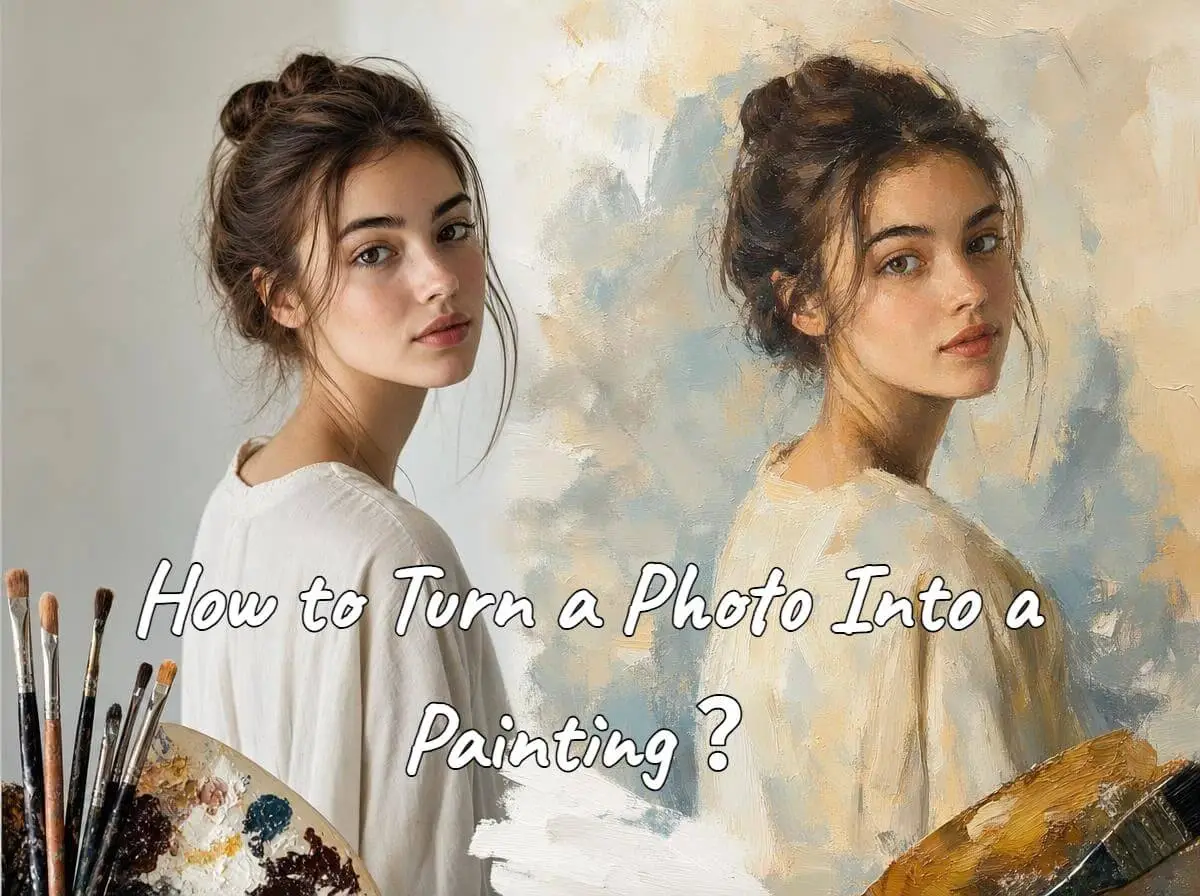
How to Turn a Photo Into a Painting With AI Without Losing Facial Identity
How to Make a TikTok Video: A Complete Step-by-Step Guide

