How to Change Clothes from Photos & Videos with AI?


4 mins read
AI clothes changer tools have become increasingly popular as fashion brands, creators, and e-commerce sellers look for fast and accurate ways to modify clothing in photos and videos.
Today's tools use powerful segmentation and generative AI to intelligently replace or edit clothing—without needing advanced Photoshop skills. Importantly, AI clothes changers do not generate nudity; they are designed strictly for virtual try-on, outfit editing, fashion design, content creation, and professional production workflows.

Contents:
What is an AI Clothes Changer?
An AI clothes changer is a digital tool that identifies and edits clothing in photos or videos using machine learning and generative models. It detects outfit regions—shirts, jackets, pants, dresses, accessories—and reconstructs or replaces them with realistic alternatives.
These systems are used for virtual try-on, e-commerce, fashion previews, cosplay design, product photography, and creative video production.
AI Clothes Changer vs. Traditional Photo Editing
Traditional editing requires manual effort, including masking, cloning, and layering, which demands skill and time. Even experienced editors struggle with consistent fabric textures and natural shadows.
In contrast, an AI Clothes Changer automates detection, reconstruction, and styling with high accuracy. It understands folds, lighting, and body position, producing realistic results instantly. AI dramatically reduces editing time, eliminates human error, and supports advanced video editing that is nearly impossible manually.
While traditional editing offers granular control, AI delivers unmatched speed, accessibility, and consistency — making it ideal for fashion brands, influencers, editors, and creators needing fast outfit transformation.
Comparison Chart: AI Clothes Changer vs. Traditional Editing
| Feature | AI Clothes Changer | Traditional Editing |
|---|---|---|
| Speed | Instant, automated | Slow, manual |
| Skill Required | Beginner-friendly | Advanced skills |
| Accuracy | High segmentation + generative fill | Depends on editor |
| Video Support | Yes (e.g., ChatArt Pro Video) | Extremely difficult |
| Consistency | Very consistent | Varies by human error |
| Best For | Fashion, creators, e-commerce | Complex manual edits |
ChatArt Pro Video — Best Way to Change Clothes
ChatArt Pro Video is one of the most advanced tools for AI-based clothing editing across both photos and videos, offering capabilities far beyond standard image-only apps.
With its dedicated Undress AI Template, users can upload a photo and instantly change outer layers like jackets, coats, or accessories. The platform supports seven leading AI models—Veo, Sora, Vidu, Wan, Jimeng, Kling, and PixVerse—allowing highly accurate segmentation, realistic reconstruction, and professional clothing manipulation in full motion.


Pros
- Best segmentation accuracy
- Works on videos & photos
- Supports multiple AI models
- Professional editing tools
Cons
- Requires stable internet
How to Use ChatArt Pro Video to Change Clothes
Open ChatArt Pro Video and select the Undress AI Template. Upload the image you want to edit. Ensure the clothing you want to change is clearly visible and the subject is well-lit for best results.

Once uploaded, apply the Undress AI Template. The AI will automatically detect clothing layers—like jackets, coats, or accessories—and reconstruct the underlying outfit or body shape in a clean and realistic manner.

Review the AI-generated result. If needed, make minor adjustments to improve accuracy or style. Once satisfied, export the edited image or video in high resolution for fashion editing, content creation, or design purposes.
Popular Change Clothes App Options
Below are safe, reputable apps designed for outfit editing, virtual styling, and creative clothing adjustments—not inappropriate use.
1 Fotor AI Editor
Fotor AI Editor is an easy-to-use tool offering quick outfit recoloring and light clothing adjustments. It's designed for users who need fast, simple wardrobe edits without advanced photo editing knowledge.

Pros
- Beginner-friendly
- Fast outfit recolor tools
- Good for simple editing tasks
Cons
- No video support
- Limited generative clothing design
2 Remini
Remini improves portrait clarity and enables subtle clothing cleanup. It's great for users who want light outfit refinements, restored images, or cleaner aesthetics without heavy editing.

Pros
- Excellent portrait enhancement
- Subtle clothing touch-ups
- Mobile-friendly
Cons
- Not for full outfit replacement
- Limited control and detail
3 Facetune AI
Facetune AI is designed for influencers who want quick outfit adjustments, color edits, and aesthetic filters. It's ideal for enhancing social media content with minimal effort.

Pros
- Perfect for TikTok and Instagram
- Fast aesthetic edits
- Easy clothing enhancements
Cons
- Not professional-level
- No true generative outfit editing
4 PhotoRoom
PhotoRoom is a strong background removal and object masking tool often used for e-commerce. It can change outerwear like jackets and accessories to produce clean, market-ready apparel photos.

Pros
- Excellent masking and background removal
- Good for product photos
- Can change outer layers of clothing
Cons
- Limited generative output
- No video support
Top Features to Look for in a Clothes Changer AI Tool
High-Precision Clothing Segmentation
Detects shirts, coats, pants, skirts, and fabric folds accurately.
Generative Outfit Replacement
Should create realistic textures, colors, and new outfit designs.
Video Editing Support
Essential for professional creators—only a few tools like ChatArt Pro offer it.
High-Resolution Output
Necessary for commercial use and product imagery.
Multi-Model AI Support
More models allow for more consistent and customizable results.
Privacy Protections
Tools should auto-delete uploads and safeguard user data.
FAQs About AI Clothes Changer
Can AI change clothes from photos?
Yes — AI can modify clothing for fashion editing, jacket removal, or outfit restyling. Ethical tools do not create nudity.
What is the best AI clothes changer?
ChatArt Pro Video currently offers the best accuracy, most models, and full video support.
Is using an AI Clothes Changer legal?
Yes, when used with your own content or with permission, and for non-harmful purposes.
Are these apps safe?
Choose tools with privacy policies, ethical protections, and content restrictions.
Conclusion
AI clothes changers have revolutionized outfit editing for photographers, content creators, e-commerce brands, and digital stylists. With intelligent segmentation and generative fashion tools, they make wardrobe changes fast, realistic, and accessible to everyone.
Among all solutions, ChatArt Pro Video stands out for its multi-model capabilities, accurate segmentation, and full video support. These tools enable responsible, creative fashion editing—ushering in a new era of ethical and intelligent clothing transformation.
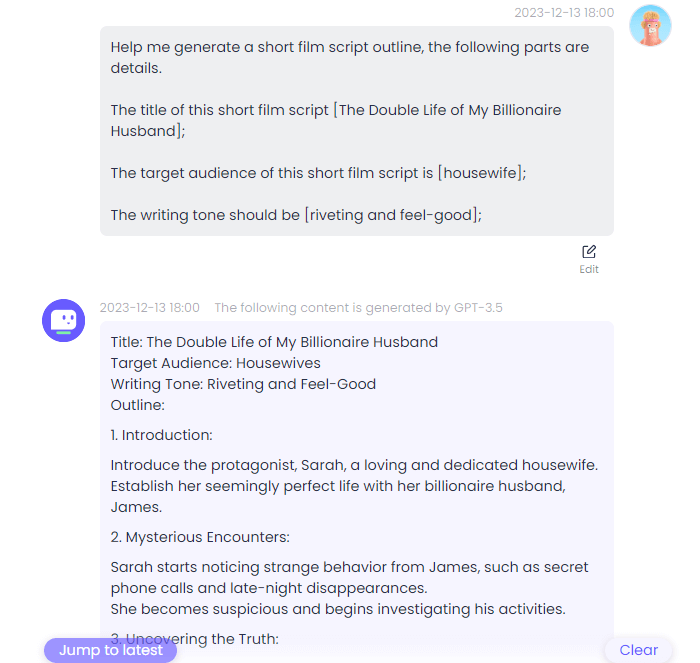
How to Generate Short Film Script Outline with ChatArt Pro
Free AI Tinder Bio Generator
Free Product Review Generator
 OpenAI series (including GPT-5 & 4.1)
 Claude series (including Claude Sonnet 4.5 & 4)
 Gemini Series (including Gemini 2.0 Pro)
 DeepSeek Series (including DeepSeek R1)